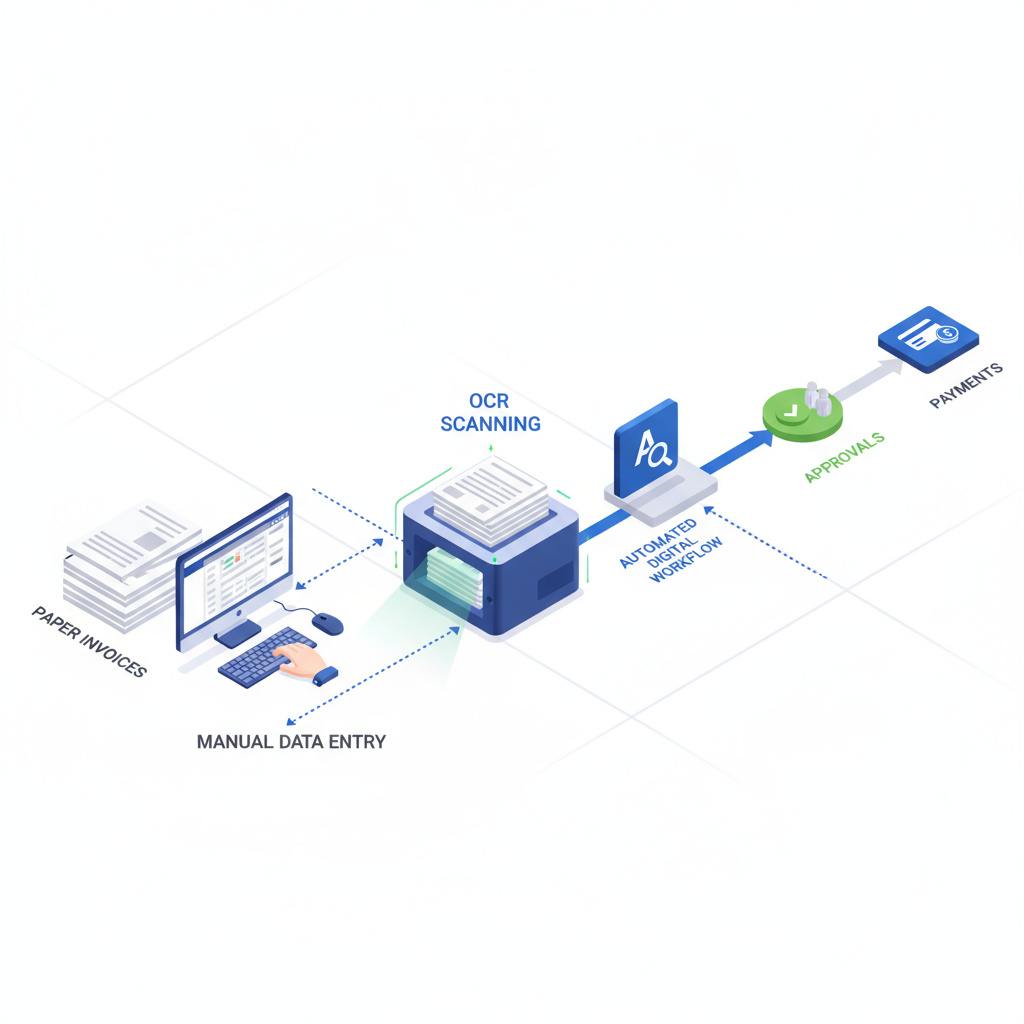
For UK SMEs processing 300-500 invoices monthly, manual data entry isn’t just tedious—it’s expensive. The average 30-person firm spends £12,000-£24,000 annually on invoice processing labour alone, before counting error correction costs (£2,000-£5,000) and missed early payment discounts (£3,600-£9,600).
Yet 80% of UK SMEs still rely on manual invoice processing. The good news? Modern automation can reduce processing time by 80%, cut per-invoice costs from £15 to £2, and deliver payback within 5-6 months. This guide provides a practical 20-week implementation framework with real UK case studies and actionable steps.
Calculate Your Baseline: Is Automation Worth It?
Before evaluating solutions, quantify your current state. Use this self-assessment:
Volume Assessment:
- How many supplier invoices do you process monthly? (Include utilities, supplies, services, contractors)
- What percentage arrive as PDFs vs paper vs email body text?
- How many approvers are involved in typical invoice workflows?
Time & Cost Assessment:
- Average time from invoice receipt to payment: _____ days
- Staff time per invoice (data entry + approval chasing + filing): _____ minutes
- Monthly labour cost for invoice processing (hours × loaded rate): £_____
Error & Exception Assessment:
- Duplicate payment incidents per quarter: _____
- Late payment penalties paid annually: £_____
- Percentage of invoices requiring manual intervention: _____%
Target Calculation for 30-Person SME (400 invoices/month):
- Current state: 15 minutes/invoice × 400 = 100 hours/month × £30/hour = £3,000/month
- After automation: 3 minutes/invoice × 400 = 20 hours/month × £30/hour = £600/month
- Monthly savings: £2,400 (£28,800 annually)
- Break-even on £15,000 solution: 6.25 months
If your monthly savings exceed £1,500, automation typically delivers positive ROI within 12 months.
The 5-Step Implementation Framework
Step 1: Map Your Current Process (Weeks 1-2)
Objective: Document existing workflows, capture baseline metrics, identify automation opportunities.
Actions:
-
Shadow your AP team for 2-3 days. Record:
- Where invoices arrive (email, portal, post, supplier systems)
- Who performs data entry and validation
- Approval routing paths (single approver vs multi-tier)
- Exception handling (missing POs, pricing disputes, coding questions)
-
Collect baseline data:
- Average processing time per invoice type (standard vs complex)
- Error rate (duplicate payments, incorrect coding, missed discounts)
- Cycle time from receipt to payment
- Monthly volume by supplier and format
-
Map integration touchpoints:
- Current accounting system (Xero, Sage, QuickBooks)
- ERP or procurement systems requiring synchronisation
- Bank payment systems (BACS, Faster Payments)
- Existing approval tools (email, shared drives, manual sign-off)
Deliverable: Process map showing current state with time/cost annotations. This becomes your requirements specification for vendor evaluation.
Step 2: Select Your Solution (Weeks 3-4)
Objective: Evaluate vendors against requirements, confirm budget alignment, secure stakeholder buy-in.
Vendor Evaluation Matrix:
| Criteria | Weight | Dext Prepare | Yooz | PaperLess | Compleat |
|---|---|---|---|---|---|
| OCR Accuracy | 25% | 95-98% | 95-97% | 95-98% | 93-96% |
| Xero/Sage Integration | 20% | Native | API | 250+ systems | Direct connector |
| Approval Workflow | 15% | Basic | AI-driven | Customisable | Fully custom |
| Pricing Transparency | 15% | Usage-based | Quote required | Subscription | Subscription |
| MTD Compliance | 10% | Yes | Yes | Yes | Yes |
| Support Quality | 10% | Email + phone | Dedicated AM | 24/7 support | UK-based |
| Implementation Time | 5% | 2-4 weeks | 6-10 weeks | 8-12 weeks | 10-16 weeks |
Budget Guidance by Company Size:
- 1-10 staff: £2,000-£8,000 annually (Dext, AutoEntry, Bill Capture)
- 11-50 staff: £8,000-£25,000 annually (Yooz, PaperLess, Hubdoc)
- 51-100 staff: £25,000-£50,000 annually (Compleat, full AP suites)
Actions:
- Shortlist 3-4 vendors matching your volume and integration requirements
- Request live demonstrations using your actual invoice samples
- Validate OCR accuracy on your most complex invoices (multi-page, handwritten notes, non-standard formats)
- Confirm data residency (UK/EU) and GDPR compliance certification
- Review contract terms: minimum commitment, exit clauses, data portability
Deliverable: Vendor selection with signed contract and implementation timeline.
Step 3: Pilot Testing (Weeks 5-10)
Objective: Validate solution with 20% of invoice volume, identify edge cases, refine workflows before full rollout.
Pilot Scope:
- Select 2-3 high-volume suppliers with consistent invoice formats
- Target 80-100 invoices over 5-6 weeks
- Assign dedicated team member for parallel processing (automated + manual verification)
Testing Protocol:
-
Week 5-6: Configure OCR templates and GL coding rules
- Train system on supplier-specific layouts
- Set up approval routing for pilot suppliers
- Configure exception triggers (amount thresholds, missing PO, GL code ambiguity)
-
Week 7-8: Process pilot invoices with full verification
- Log OCR accuracy by field (supplier name, invoice number, date, line items, VAT)
- Track time savings vs baseline
- Document exceptions requiring manual intervention
- Measure approver response times
-
Week 9-10: Refine and optimise
- Adjust OCR confidence thresholds (balance automation vs accuracy)
- Update approval workflows based on bottleneck analysis
- Create exception handling playbook
- Train backup staff for business continuity
Success Metrics:
- OCR accuracy ≥90% on pilot suppliers (aim for 95%+)
- Processing time reduced by ≥60% vs manual baseline
- Zero duplicate payments or critical errors
- Approver satisfaction score ≥7/10
Go/No-Go Decision: If success metrics aren’t met, extend pilot or reconsider vendor selection. Don’t proceed to full rollout with <85% OCR accuracy—error correction costs will eliminate ROI.
Step 4: Staff Training (Weeks 11-14)
Objective: Equip AP team with skills to manage automated workflows, handle exceptions, and maintain system accuracy.
Training Programme:
Week 11-12: Hands-On System Training
- Session 1 (2 hours): Invoice capture methods (email forwarding, mobile app, portal upload)
- Session 2 (2 hours): OCR validation workflows (approve, correct, flag for review)
- Session 3 (2 hours): Exception handling (supplier setup, GL code maintenance, duplicate detection)
- Session 4 (1 hour): Reporting and KPI monitoring
Week 13: Change Management
- Address resistance: “Will automation replace jobs?” (Reframe as elimination of tedious work, not roles)
- Highlight time savings for value-add activities (supplier relationship management, cashflow optimisation)
- Share pilot results: real staff testimonials about reduced data entry burden
Week 14: Documentation & Support
- Create quick reference guides (laminated cards at workstations)
- Establish internal support channel (Slack, Teams, or dedicated email)
- Identify “super users” for peer support
- Schedule weekly drop-in sessions for first month post-rollout
Deliverable: Trained team confident in system operation, with documented procedures for common scenarios.
Step 5: Full Rollout (Weeks 15-20)
Objective: Scale automation to 100% of invoice volume with hypercare support, monitor KPIs, and optimise for continuous improvement.
Rollout Sequence:
- Week 15-16: Add 40% of remaining suppliers (start with simplest formats)
- Week 17-18: Add next 40% (moderate complexity, higher volume)
- Week 19-20: Final 20% (complex invoices, low volume, edge cases)
Hypercare Protocol (Weeks 15-20):
- Daily stand-ups with AP team to surface blockers
- Real-time exception escalation to implementation partner
- Weekly KPI review: OCR accuracy, processing time, error rate, approver cycle time
- Adjust GL coding rules and approval thresholds based on live feedback
Post-Rollout Optimisation (Weeks 21+):
- Monthly accuracy audits: sample 20 invoices for manual verification
- Quarterly supplier review: add new vendors to automated routing
- Bi-annual process review: identify new automation opportunities (e.g., payment scheduling, early payment discount alerts)
Deliverable: Fully operational automated AP process with documented KPIs and continuous improvement plan.
Real UK Case Studies: Proven Results
The following case studies are drawn from publicly available vendor reports and industry research, demonstrating real-world outcomes achievable with invoice automation solutions.
Case Study 1: UK Retail Group (80 Staff, 300 Invoices/Month)
Source: Snowfox public case study
Challenge: Manual invoice entry consuming 40-50 FTE hours monthly; 1.6% error rate causing payment delays and supplier friction.
Solution: Snowfox AI-driven invoice processing with auto-coding and Xero integration.
Results (5-month payback):
- Processing time: 80% reduction (15 minutes → 3 minutes per invoice)
- Labour redeployed: 40 FTE hours/month to customer service
- Error rate: Dropped from 1.6% to 0.5%
- Cost per invoice: £15 → £3
- Annual savings: £9,600 on 400-invoice/month volume
Key Success Factor: Phased rollout starting with top 10 suppliers (60% of volume) before expanding to long-tail suppliers.
Case Study 2: UK Accounting Firm (25 Staff, 100 Client Invoices/Month)
Source: Snowfox public case study
Challenge: 10-day invoice-to-payment cycle creating cashflow issues; approval bottleneck with partners travelling frequently.
Solution: Digital workflow with Snowfox OCR + Zapier routing to Xero with mobile approval app.
Results (6-month payback):
- Invoice cycle: 10 days → 2 days (80% reduction)
- Client satisfaction: Fewer payment disputes due to faster processing
- Staff time freed: 20 hours/month redirected to strategic advisory
- Partner approval time: 50% reduction via mobile app
Key Success Factor: Mobile-first approval workflow enabling partners to approve invoices during client visits or travel.
Case Study 3: Digital Advertising Group (32,000 Invoices/Year)
Source: Industry vendor report
Challenge: Labour-intensive manual invoicing delaying new client onboarding; revenue recognition timing issues.
Solution: Full invoice automation platform with API integration to media buying systems.
Results (12-month evaluation):
- Processing capacity: 32,000+ invoices annually without additional headcount
- Onboarding time: 40% reduction for new clients
- Revenue recognition: Real-time accuracy enabling faster financial close
- Year 1 ROI: 150-300% (estimated based on industry benchmarks for similar deployments)
Key Success Factor: API integration with upstream media buying platforms eliminating duplicate data entry entirely.
ROI Calculator: Quantify Your Business Case
Use this formula to project your first-year ROI:
Annual Savings Calculation:
- Labour savings: (Current monthly hours × hourly cost × 70% time saved × 12 months)
- Error avoidance: (Annual duplicate payments + late fees + manual corrections) × 85%
- Early payment discounts captured: (Annual spend × 2% discount rate × 40% suppliers offering discounts)
Example for 30-Person SME Processing 400 Invoices/Month:
- Labour: 100 hours/month × £30/hour × 70% saved × 12 = £25,200
- Errors: £4,000 × 85% reduction = £3,400
- Discounts: £2M spend × 2% × 40% = £16,000
- Total Annual Benefit: £44,600
Less: Annual Software Cost
- Solution: £18,000 (mid-tier pricing)
- Implementation: £5,000 (one-time, year 1 only)
- Total Year 1 Cost: £23,000
Net Year 1 Savings: £21,600 Payback Period: 6.2 months Year 1 ROI: 94%
Note: Year 2+ ROI increases as implementation costs disappear.
Implementation Risks & Mitigation Strategies
| Risk | Impact | Mitigation Strategy |
|---|---|---|
| Poor data quality | Low OCR accuracy, high exception rate | Conduct data cleansing pre-implementation; establish supplier communication standards |
| User resistance | Slow adoption, workarounds bypassing system | Early involvement in vendor selection; emphasise time savings over job security concerns |
| Integration failures | Data sync errors, duplicate entries | Validate API connections during pilot; maintain manual backup process for first 3 months |
| Scope creep | Delayed rollout, budget overruns | Define clear phase gates; defer “nice-to-have” features to post-rollout optimisation |
| Vendor support gaps | Unresolved technical issues delaying go-live | Confirm UK-based support hours and escalation paths in contract; identify fallback consultant |
Red Flags During Implementation:
- OCR accuracy <85% after 4 weeks of training
- Vendor missing agreed milestones by >2 weeks without proactive communication
- Exception rate >30% in pilot phase
- Approvers reporting system is slower than email-based workflows
If you encounter 2+ red flags, pause rollout and schedule vendor escalation meeting. Don’t proceed hoping issues will resolve—they typically worsen with increased volume.
Next Steps: Your Implementation Roadmap
Week 1-2: Complete self-assessment and baseline metrics collection. Schedule stakeholder meeting to review business case.
Week 3-4: Request demos from 3-4 shortlisted vendors. Prepare sample invoices (5-10 representative examples) for accuracy testing.
Week 5: Select vendor and negotiate contract. Confirm implementation timeline and resource commitments (internal + vendor).
Week 6+: Follow 5-step framework. Allocate dedicated project manager (internal or consultant) to maintain momentum and accountability.
This strategic analysis was written by Resultsense, a UK-focused AI news and analysis publication. We will keep tracking which automation vendor claims hold up under SME conditions. Read more analysis at Insights, or get in touch.